Features
Everything Quilleaf does
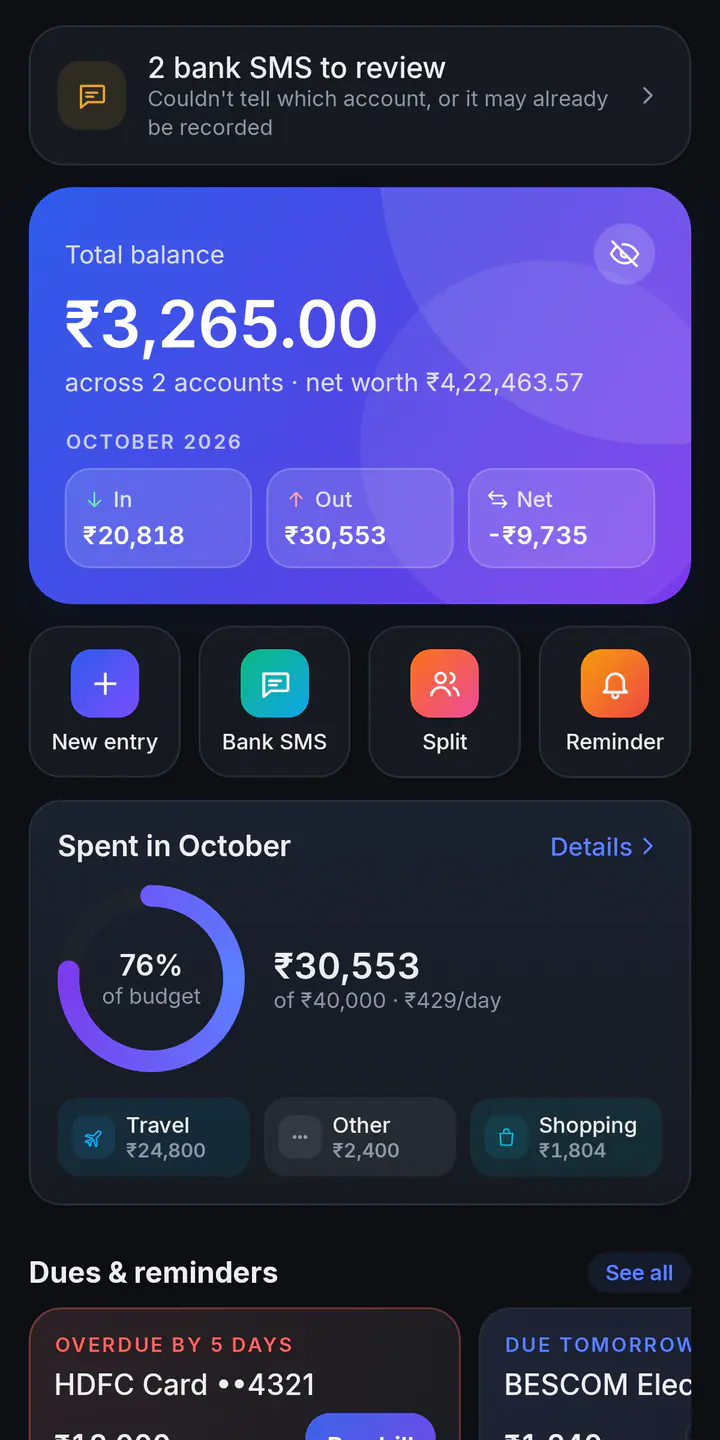
One private passbook for all your money, filled in from your bank SMS. Here is the whole tour of Quilleaf 0.14.0 for Android and the web app at app.quilleaf.com.
Bank SMS fill it in
Every spend and credit lands in the right account without typing, and your messages never leave your phone.
- Reads transaction alerts from more than 60 Indian banks, card issuers and wallets, right on your phone. OTPs, messages from people, and offers are skipped.
- Puts each entry in the right account by its last digits or the bank’s name. Accounts and cards you haven’t added yet are created for you.
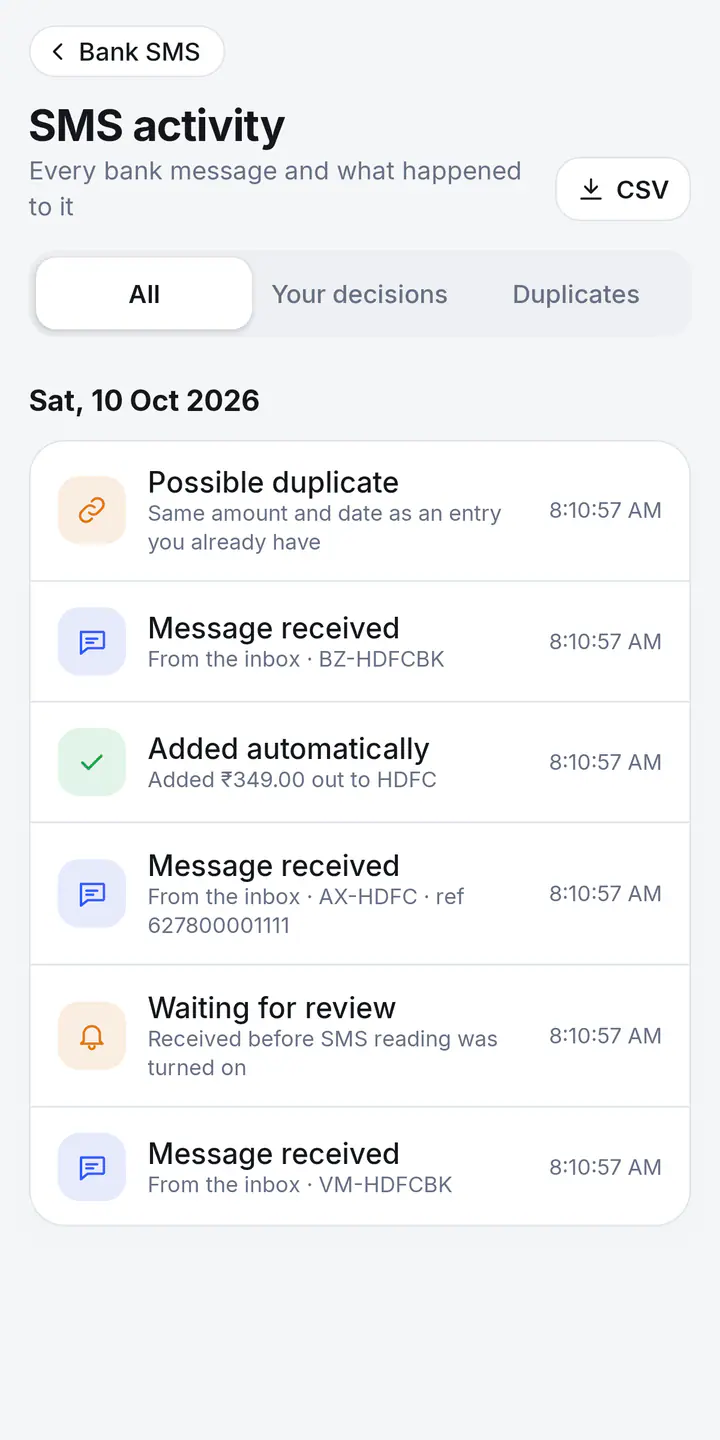
- Anything unsure waits under To review, and SMS activity shows every bank message and what happened to it. Removed one by mistake? Add back puts it back.
- Rather not give SMS access? Share a bank SMS to Quilleaf, or paste in several at once.
The standard edition reads new SMS from your messages app’s notifications. The SMS edition can also bring in months of past messages. Which edition is for you?
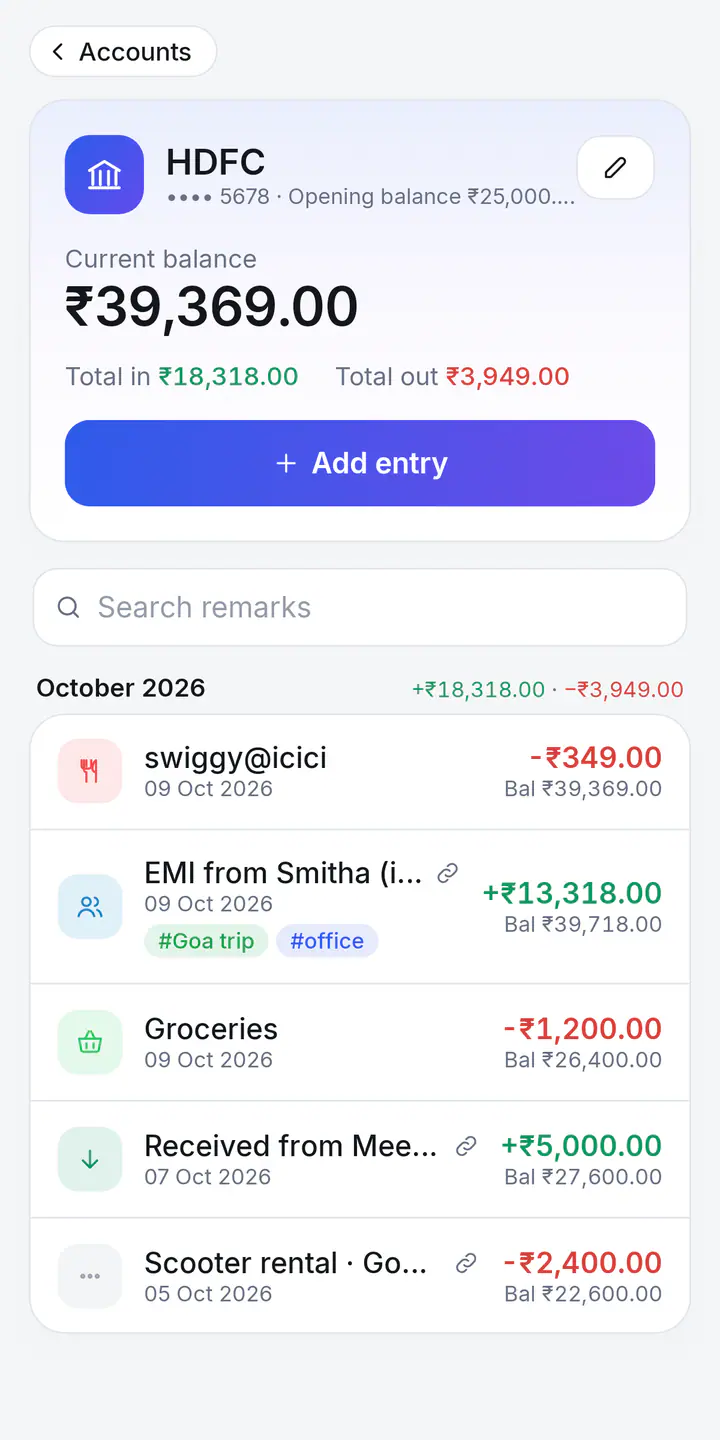
Accounts, cash and wallets
Every account gets its own passbook with a running balance, like the one your bank used to print.
- Bank accounts, wallets and UPI, cash and credit cards, each with an opening balance.
- Moving money between your own accounts is a transfer. It isn’t counted as spending or income.
- The last balance your bank’s SMS mentioned sits next to the account, with a tick when it matches. A missed entry stands out.
- All entries, month by month, by account or by tag, with search. Archive an old account and keep its history. Added the same account twice? Quilleaf offers to merge them.
Credit cards
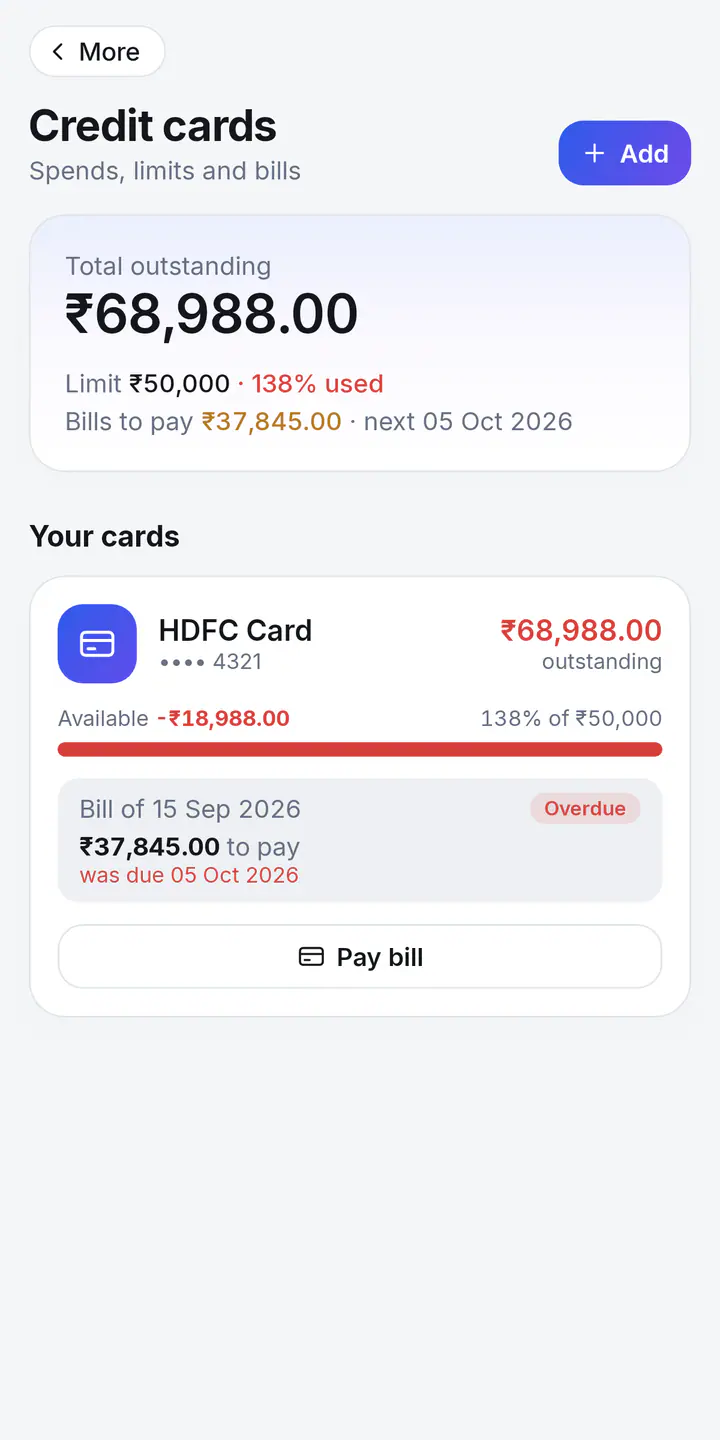
Know what you owe on every card, and by when.
- Set each card’s limit, bill date and due date.
- See the last bill: what was billed, what you’ve paid since, what’s still to pay and the due date.
- Available credit, and how much of the limit you’ve used.
- Pay bill opens a transfer into the card with the amount due already filled in. Paying your card bill from the bank sends two SMS: Quilleaf links them as one transfer.
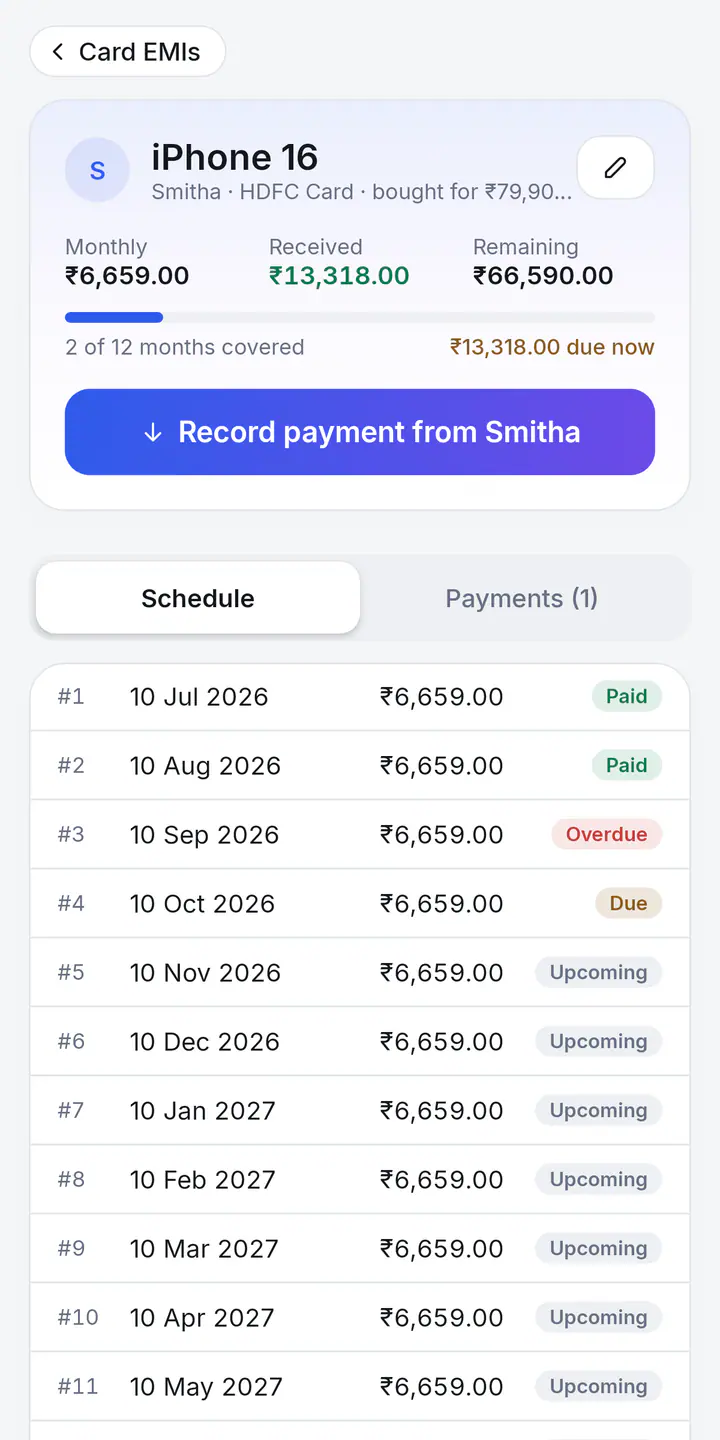
Money lent and card EMIs
Keep track of money that’s owed to you, until it’s all back.
- Money lent: what you gave each friend or family member, what’s come back, and what’s still to come.
- Card EMIs: something you bought on your credit card for someone who pays you back each month. Its schedule shows each month as paid, partly paid, due, overdue or upcoming.
- Record Got money back or a payment from someone. Pick an account, and the entry goes into its passbook too.
- Your own loan EMIs go in Bills and reminders, marked as auto-debit if the bank takes them.
Investments and net worth
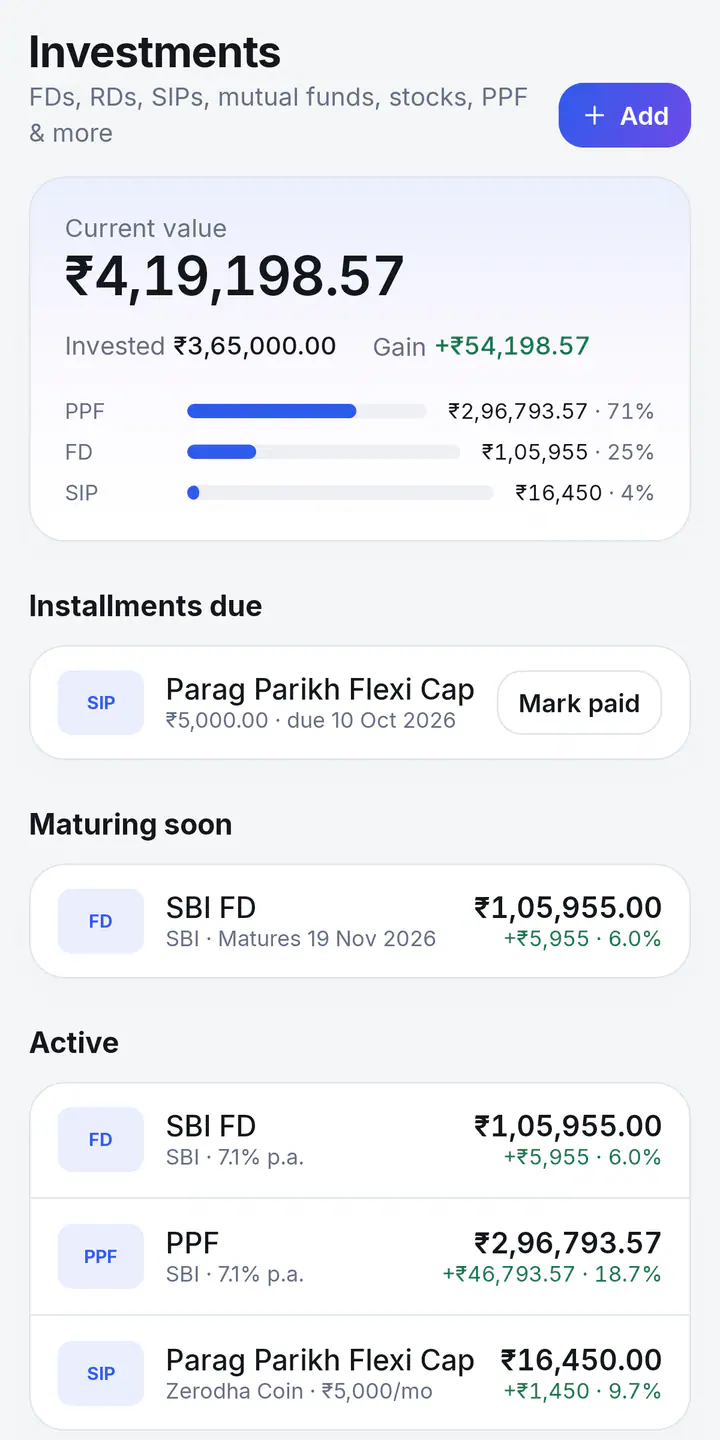
See what you put in, what it’s worth now, and your net worth on one screen.
- FDs, RDs, SIPs, lumpsum mutual funds, stocks, PPF, EPF and VPF, NPS, gold and SGBs, bonds, and anything else.
- FDs, RDs, PPF, EPF and bonds grow on their own from the interest rate and compounding you set. For funds, stocks, NPS and gold, type in the value from your broker or fund app.
- Installments due for your SIPs and RDs, with Mark paid, and a list of what’s Maturing soon.
- Net worth on Home: your account balances, your investments and the money you’ve lent, together.
Spending, budgets and categories
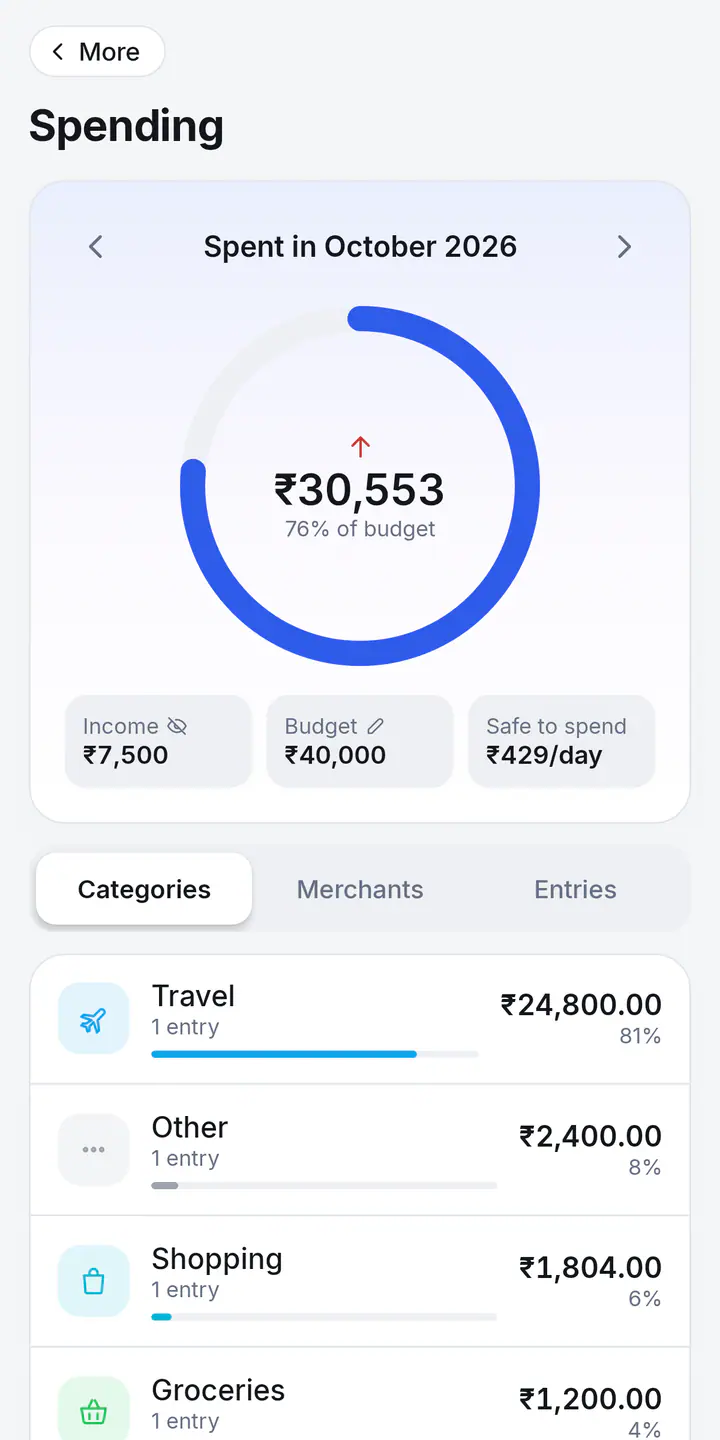
See where your money goes, and how much you can still spend this month.
- 23 categories, filled in on their own from the merchant: food, groceries, fuel, bills and more. Change one, and Quilleaf remembers it for that merchant.
- A monthly budget, and budgets for any category. Safe to spend shows what’s left per day for the rest of the month.
- Spending by category and by merchant, month by month.
- Money in and money out for the month, with a six-month chart. Transfers and investments are left out.
Bills and reminders
Never miss a due date.
- Reminders for rent, electricity, insurance, loan EMIs, anything. Once, weekly, monthly, every 3 months or yearly.
- Mark as paid moves the reminder to its next date, and can add the payment to the account you paid from.
- Credit card bills show up on their own. Card statements, EMI notices and auto-debit SMS become reminders.
- What’s due in the next 10 days sits on Home. A notification each day covers bills due today or tomorrow, and auto-debits in the next two days.
Tags
Pull entries together across accounts, for a trip, a project or anything you like.
- Add tags like #office, #Goa trip or #fuel to any entry.
- Each tag shows its entries, with the total out and the total in.
- Rename a tag, or merge it into another.
Groups and splits
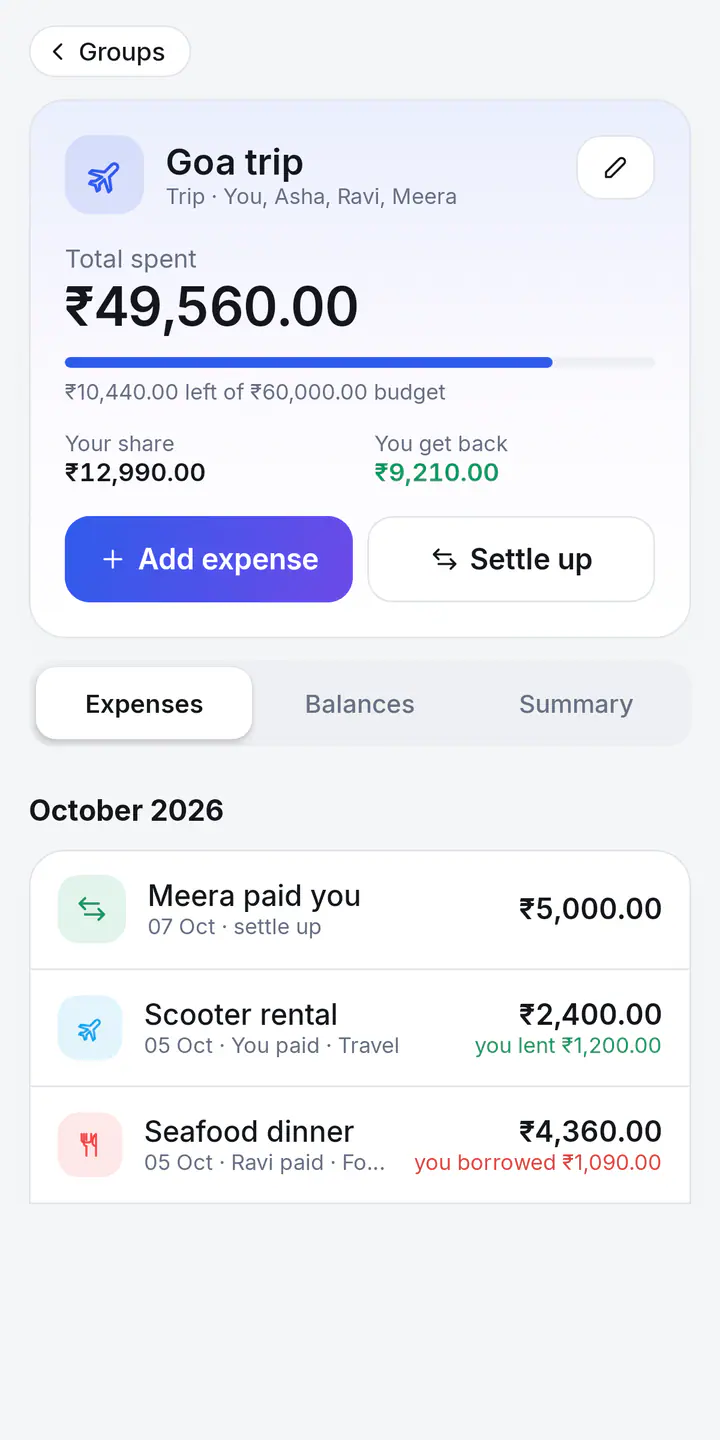
Fair splits for trips, flatmates, weddings and building a house, without the maths.
- Make a group for a trip, a home, construction, an event or a function. Each kind comes with its own expense categories.
- Split equally, by ratio, by percentage or by exact amounts. Or split it equally, then add or take off a little for someone. Give each person a default ratio, like 2 for a couple or 0.5 for a child.
- See who owes whom, and a short list of payments that settles everyone up. Totals by category and by person, and an optional budget.
- Already paid for something? Split that passbook entry with a group, and it stays linked. It’s your record: nobody else needs the app.
Backup, export and restore
Your data is yours to keep, to move and to bring back.
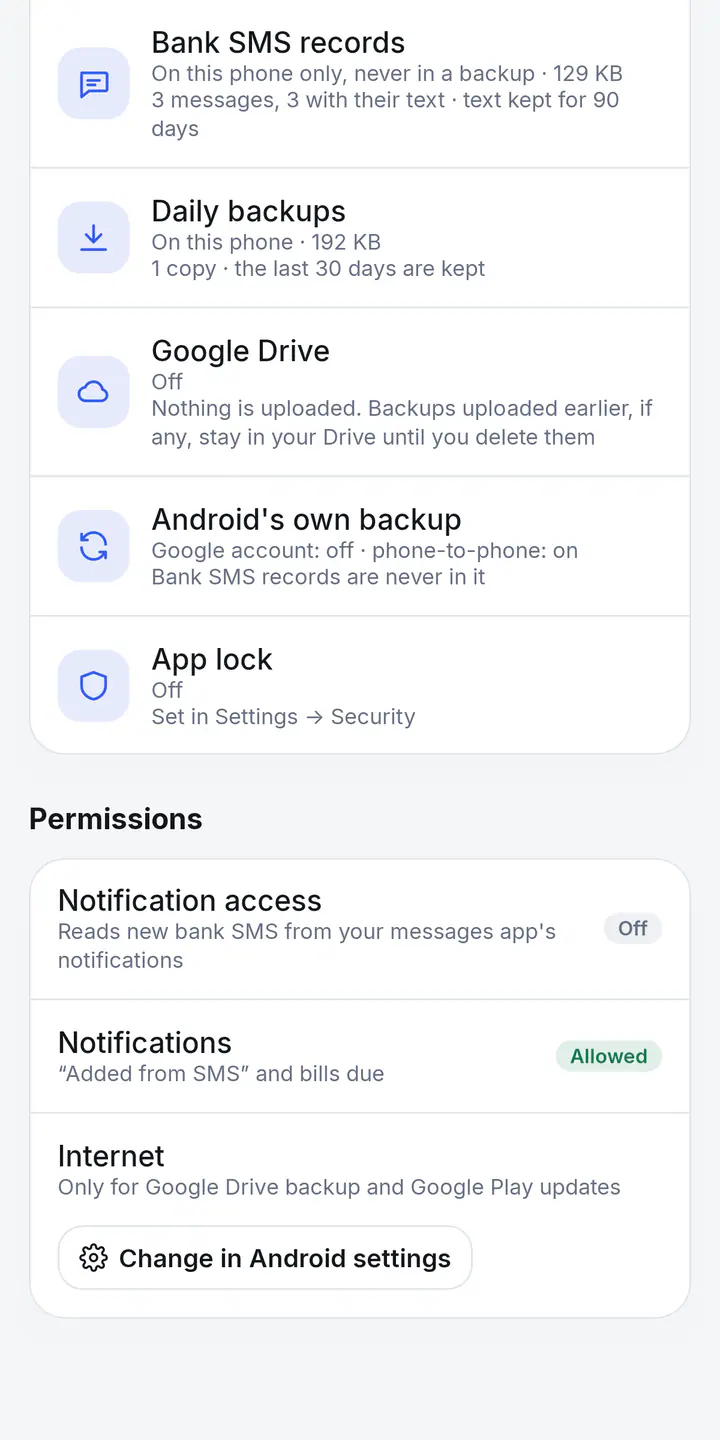
- A copy on your phone each day you make changes, kept for the last 30 days on which something changed. Restore any of them. Your data from just before is kept too, so you can switch back.
- Optional Google Drive backup in your own Drive, keeping your 10 most recent daily backups. Quilleaf can see only the files it creates there.
- Optional backup password. Drive backups and .db exports are then encrypted on your phone with AES-256.
- Export .db and Import .db move your data to a new phone, or between your phone and the web app. Export everything saves every table as a spreadsheet (CSV) and as JSON, too.
App lock and privacy controls
Keep your money private, even when someone else is holding your phone.
- App lock with your fingerprint, face, or your phone’s PIN, pattern or password. It locks again right away, or after 1, 5 or 30 minutes.
- Secure screen keeps Quilleaf out of screenshots, screen recordings and the Recents preview.
- Hide amounts shows every amount as ₹ ••••, in notifications too.
- The Privacy screen shows what’s stored where and which permissions are on. Choose how long bank SMS text is kept, export everything, or erase it all.
The web app
Your passbook on an iPhone, iPad or computer, with nothing to install and no sign-up.
- The same ledger, cards, budgets, reminders, groups, money lent, card EMIs, investments and tags.
- Bring in an Excel passbook with columns like Date, Credit, Debit and Remarks.
- Your data is saved in that browser, on that device. It isn’t sent to our server. Export .db, Export encrypted and Export everything keep copies, and you can undo an import.
- Reading bank SMS needs the Android app. Move your data between the two with Export .db and Import .db.
Everyday touches
Small things that make it feel like yours.
- Amounts in the Indian way, ₹1,23,456. Seven other currencies are in Settings.
- Simple Hindi alerts are read too, the ones that say डेबिट, खर्च, निकासी, जमा or क्रेडिट.
- Light, dark, or follow your phone.
- A short app tour, any time, from Settings.
Start your passbook today
Free on Android 8.0 and newer, and in your browser. No sign-up, no ads, and no server in between.